Accessibility & Title II Compliance
Inaccessible learning is a barrier to the people your program exists to serve, and, increasingly, a compliance exposure with a federal deadline attached. Title II now reaches the digital learning a public entity provides or makes available through its vendors, which means the content you contract out is still yours to answer for.
Online learning is rarely just text on a page. It includes scenarios, simulations, video, narration, documents, assessments, custom interactions, LMS delivery, and revision cycles. Ensuring that these elements are usable by the widest range of learners, and support WCAG 2.1 Level AA conformance review, is one of HumanKind’s greatest strengths.
At HumanKind, our team includes DHS Section 508 Trusted Tester-certified professionals, designers, developers, media specialists, and learning architects who understand how accessibility decisions affect instruction. We design those pieces together so accessibility is part of the learning experience, not a separate cleanup effort.
Accessibility is not a phase we add at the end. It is the foundation of our development process.
Title II Requirements: A Changing Accessibility Landscape
In April 2024, the Department of Justice set a specific technical standard for accessibility under Title II of the ADA: state and local government web content, mobile apps, and digital services must conform to WCAG 2.1 Level AA.
WCAG 2.1 Level AA is the technical standard the Department of Justice adopted for digital accessibility under Title II. It defines how web content, applications, and digital documents must work for people who navigate with a keyboard, use a screen reader, or depend on captions, contrast, and clear structure to access what everyone else takes for granted.
In addition to state and local governments, the revised standard also impacts public universities, courts, agencies, and the online learning they deliver, including content produced on their behalf by vendors. If a course, Canvas shell, LMS experience, PDF, video, simulation, or mobile learning experience is produced by a vendor and made available by the institution, it still has to fit within the institution’s accessibility obligations.
In April 2026, DOJ extended the compliance dates by one year. The current deadlines are April 26, 2027 for entities with a total population of 50,000 or more, and April 26, 2028 for smaller entities and special district governments.
The extension is runway, not relief. DOJ has stated that, absent further action, it fully anticipates implementing the regulation at the new deadline. The underlying obligation to provide equal access applies today, not in 2027. And private plaintiffs and advocacy organizations can still act during the window.
Remediating every site, app, document, and LMS course against WCAG 2.1 AA takes time.
Organizations that wait until 2027 to start will not be done by 2027.
Meanwhile, every month of new content published without accessibility built in is content you will pay to fix later. The least expensive version of this work is the one where it is done right the first time.
HumanKind's Answer: Accessibility as Architecture
Accessibility is often discussed as a compliance requirement, but in learning it is also an instructional quality issue. A learner who cannot operate an interaction, follow a video, understand the structure of a page, or complete an assessment with assistive technology is not receiving the same learning experience.
We design for access because access is part of whether the instruction works. This commitment starts with the first storyboard and carries through visual scripting, layout templates, color and contrast, navigation models, and interactive design. Building it in from the start is faster, lower-risk, and far less costly than remediating late, and it significantly reduces the chance of a deliverable being rejected in testing.
Because it is built in, it also lasts. Content built with accessible patterns is easier to update without breaking conformance, because the structure, interaction logic, media requirements, and documentation are already part of the design system.
Before anything goes into production, every interaction has to answer three questions:
Can a learner operate it without a mouse?
Can assistive technology understand it?
Can someone using that technology complete the same meaningful task, with the same instructional value, as everyone else?
If the answer to any of them is no, it is not finished.
What You Receive
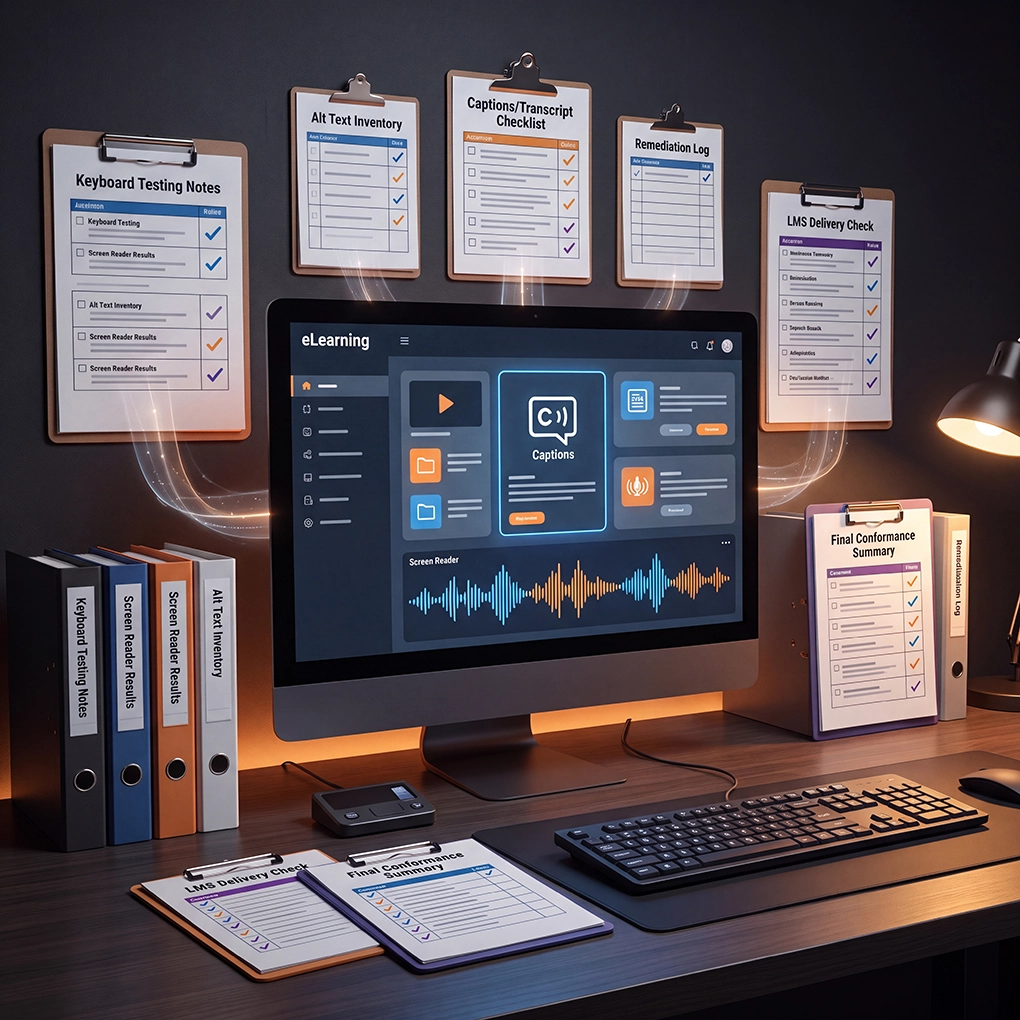
HumanKind does not treat accessibility as a promise hidden in the proposal. We document it as part of the work. Depending on the engagement, deliverables may include accessibility review notes, keyboard and screen-reader testing results, alt-text and long-description inventories, caption and transcript status, remediation logs, LMS delivery checks, and a final conformance summary that can support procurement, internal review, or audit response.
The goal is simple: when someone asks how accessibility was addressed, you are not left searching through email threads. You have evidence.
- Accessible branching scenarios and simulations
- Accessible knowledge checks and assessments
- Screen-reader-friendly interaction patterns
- Keyboard-accessible custom HTML5 / SCORM learning
- Canvas/LMS page structure, files, links, headings, and embedded media
- Accessible PowerPoint, PDF, Word, and downloadable course materials
- Captions, transcripts, audio description, and media alternatives
- Alt text that supports the instructional purpose, not just image description
Trusted Testers on Staff
Our accessibility work is verified, not assumed. Multiple team members hold DHS-certified Section 508 Trusted Tester credentials, and we test deliverables with the assistive technologies people actually use, including JAWS, NVDA, and VoiceOver, alongside manual keyboard validation. Automated checkers catch only a fraction of real barriers, so what passes a scanner still has to work for a person using a screen reader before we call it done.
Every engagement produces the evidence to back it: review results, issue logs, remediation status, and a final conformance summary you can hand to a reviewer, a procurement office, or an audit.
If accessibility is something your last vendor promised to handle “quickly” at the end, that is exactly the gap we are built to close. Let’s talk about what conformant looks like for your program